Add your kids
Name, age and device. It takes about two minutes.
Family First Digital Safety
Know when something’s off online, and what to say about it, without reading a single one of your kid’s messages.
How it works
Most parental-control apps make you choose: read everything, or hope for the best. Family First is the third option. You stay in the loop, and your kid keeps their privacy.
Name, age and device. It takes about two minutes.
Send a one-time code to their iPhone, iPad or Android device. Their screen shows that protection is on, so nothing happens behind their back.
Family First checks in for you in the background. When something changes, you’ll know, and you’ll know what to say.
See it in action
Four screens, thirty seconds. Here’s Family First on your phone, and on theirs.
ClickTap a step to see it on the phone.
Your phone
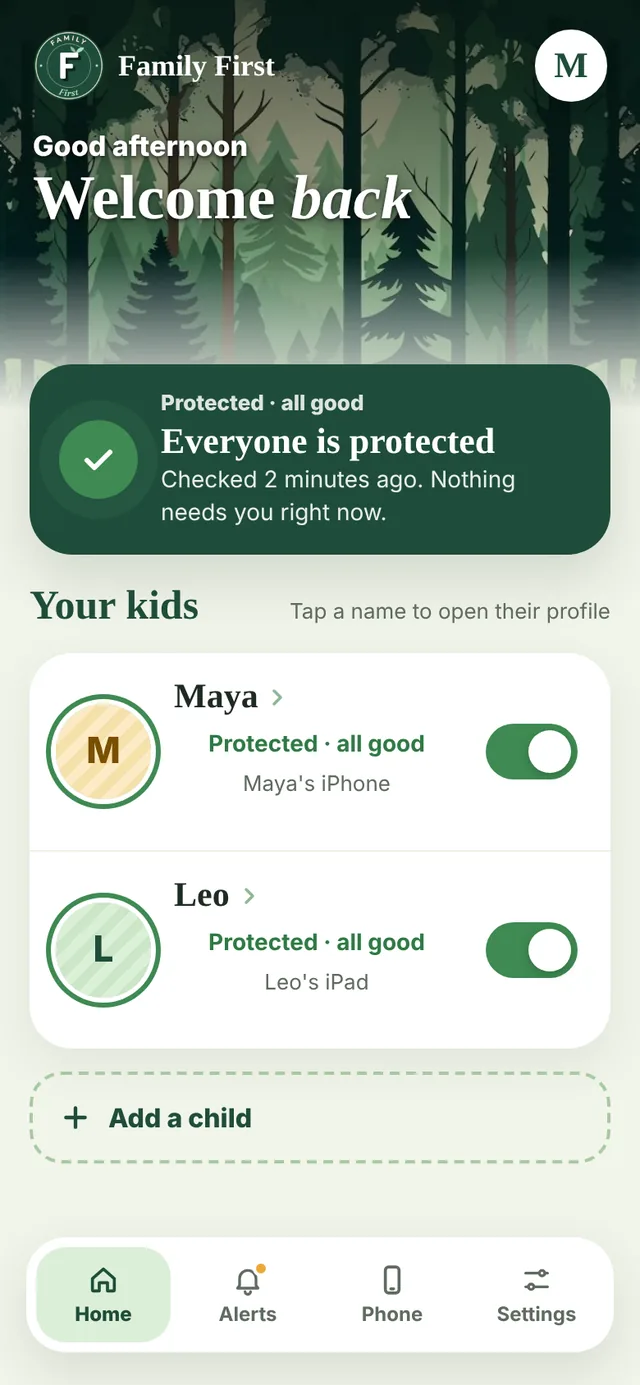
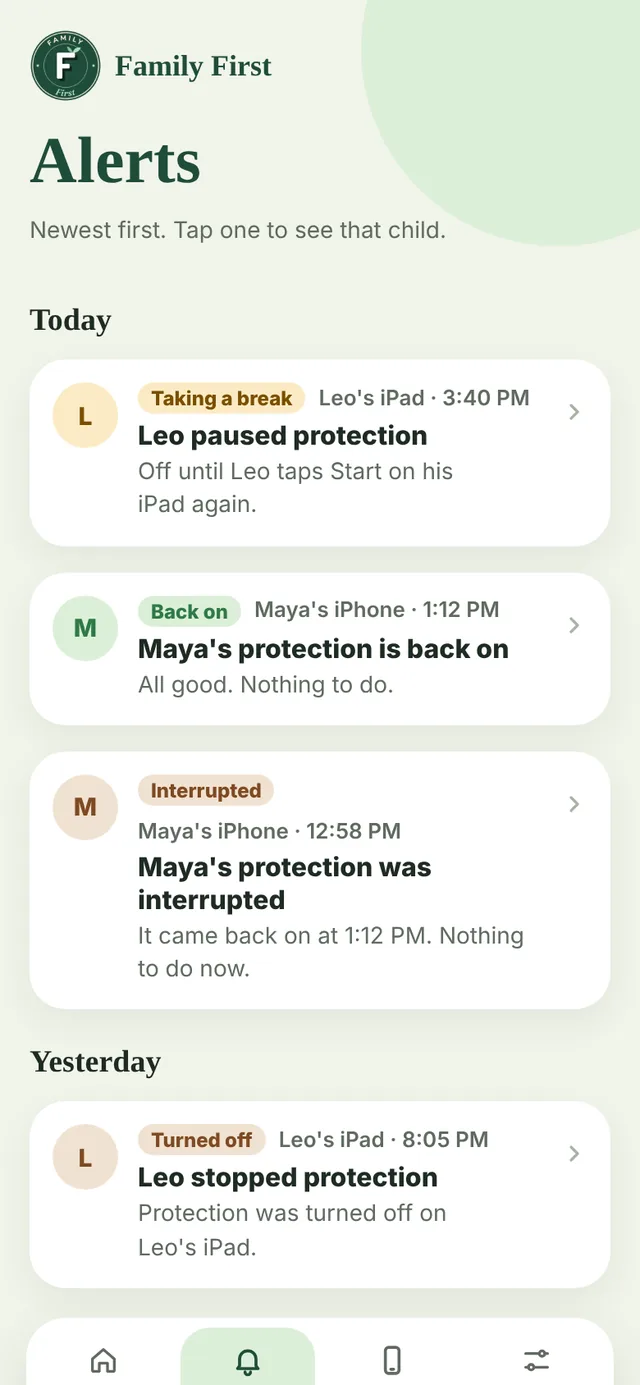
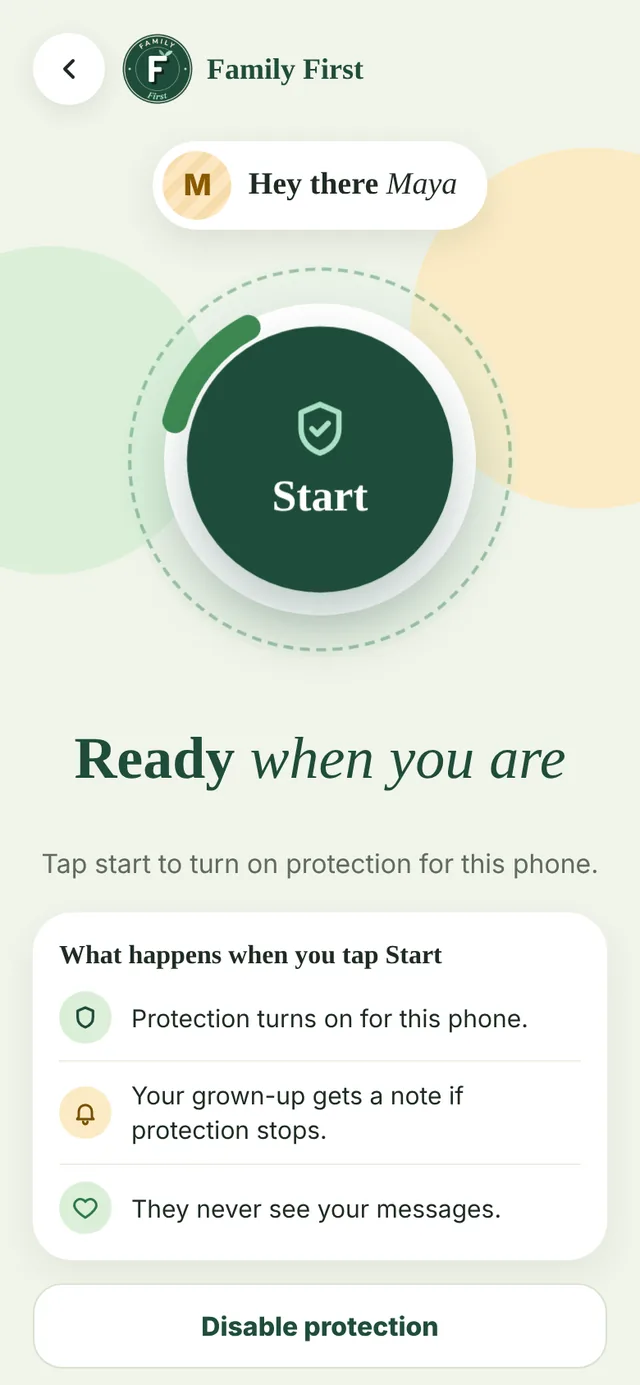
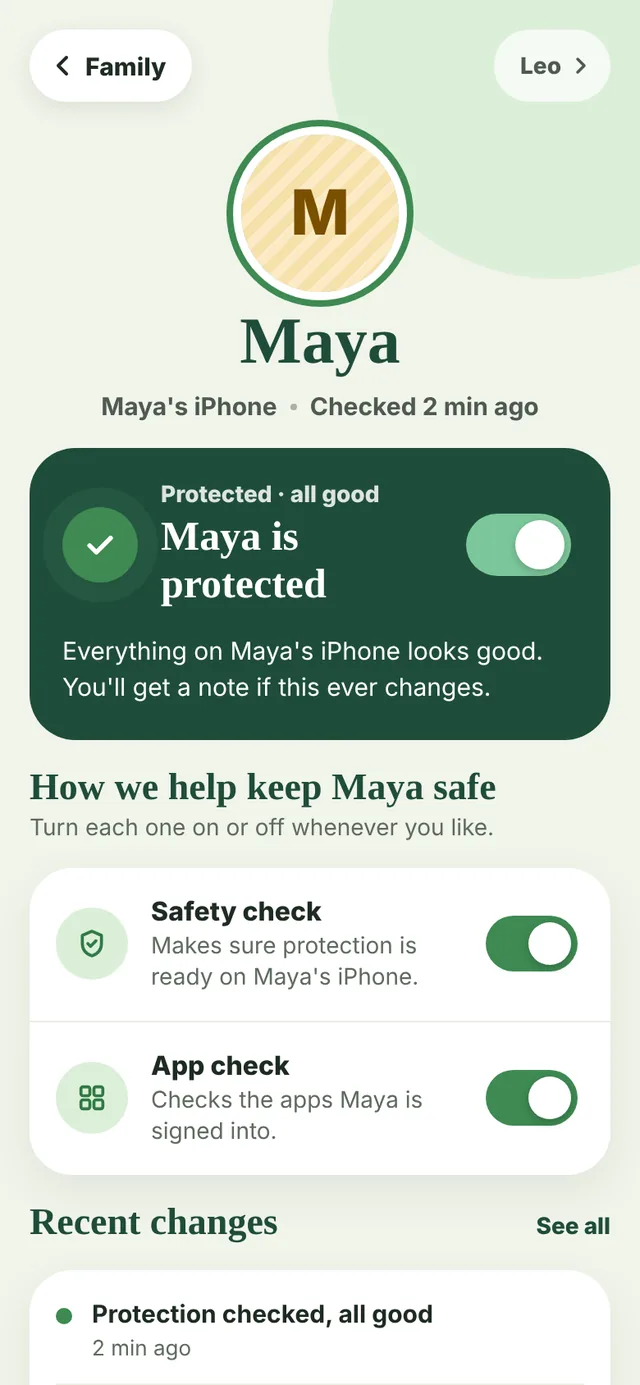
Family First won’t have the conversation for you. It tells you when it’s time, and gives you a calm place to start.
Join the WaitlistPrivacy, plainly
Spyware works because kids don’t know it’s there. Family First works because they do.
| Family First | Message-scanning apps | Spy apps | Built-in phone controls | |
|---|---|---|---|---|
| Reads your child’s messages | Never | Scans them for warning signs | Yes, every one | No |
| Your child can see it’s on | Yes, on their own screen | Depends on the app | No, hidden by design | Yes |
| What you’re told about | Changes on their device, and what they mean | Flagged messages, posts and photos | Chats, calls, even deleted texts | Screen time and app use |
| Cost for the whole family | $6.99/mo, unlimited devices | About $9–$14/mo | Often $10–$70/mo | Free |
Based on the typical features and published prices of popular apps in each category, November 2026.
“Your grown-up gets a note if protection stops. They never see your messages.”
Pricing
About $1.60 a week for the whole family, on unlimited devices. No tiers, no upsells, cancel anytime.
Unlimited devices, for kids ages 3 to 17.
$6.99/ month
Questions
No. Family First never shows you their messages. You’ll see whether protection is on and get a heads-up when something changes, not the content of their conversations.
Yes. Their phone shows when protection is on, and tells them you’ll get a note if it stops. Safety works better without secrets.
You’ll get a note in Alerts, so you can check in. Turning protection on or off from your side takes your parent PIN or Face ID.
iPhone, iPad and Android.
Family First is designed for kids ages 3 to 17, from their first tablet to their last year of high school.
We’re launching soon. Join the waitlist and you’ll be the first to know.
$6.99 a month covers unlimited devices for the whole family. Cancel anytime, no questions asked.
You know your kid best
Family First doesn’t replace your judgment or turn home into a surveillance state. It gives you the heads-up and the words. The rest is up to you.
Join the waitlist
Add your name to the list and we’ll reach out when Family First is ready.
You’re on the list. There’s nothing to confirm, so no need to check your inbox. We’ll reach out when Family First is ready.